
Saving a useful post on X is easy. Finding it again is the harder part.
You might save a thread about a new AI tool, a developer tip, a launch announcement, a documentation link, or a post you want to try later. X Bookmarks can handle quick saves inside X. But once your saved posts start mixing with articles, documentation, tool pages, and PDFs, you may need a different place to keep everything together.
This guide compares a few practical ways to save tweets for later. The goal is not to pick one universal winner. It is to help you choose the method that fits how you actually revisit what you save.
Option 1: Use X Bookmarks for Quick Saves Inside X
X Bookmarks are the simplest way to save posts for later. X describes Bookmarks as a way to save posts for quick access at any time, and saved bookmarks are private to your account (X Help).
You can access saved posts from the Bookmarks area in the X app or on the X website. This works well when your main need is simple:
- Save a post quickly.
- Come back to it inside X.
- Keep saved posts private.
- Avoid setting up another app.
For many people, this is enough. If you only save a few posts each week, X Bookmarks may be the lowest-friction option.
The limitation appears when your saved posts become a working library. X is built around the feed. It is not always the best place to organize research, collect external links, or search across everything you saved over months.
Option 2: Use X Premium Bookmark Folders if You Stay Inside X
If you use X Premium, Bookmark Folders can help you organize saved posts inside X (X Help). You can separate saved posts by topic, project, or intent.
For example:
- AI tools to try
- Coding tips
- Marketing examples
- Product ideas
- Threads to read later
This can make X Bookmarks more manageable. It is especially useful if most of what you save is still meant to be revisited inside X.
But folders do not solve every problem. A saved post often points somewhere else. It might link to an article, a GitHub repository, a documentation page, a product page, or a PDF. If the post is in X and the linked resource is saved somewhere else, your later search can still become fragmented.
There is also an important technical point. X's bookmark API endpoints are access controlled (X Developer Platform). They should not be treated as a simple consumer export path for moving all bookmarks into another app. If you are evaluating external tools, be careful with any claim that sounds like a guaranteed full export of your X bookmark history.
Option 3: Use Browser Bookmarks for Posts and Links
Browser bookmarks are another simple option. You can save the X post URL, the linked article, the documentation page, or the tool page directly in your browser.
This is useful when you mostly work from one browser and want a basic folder structure. It also works across many types of pages, not just X posts.
Browser bookmarks are less useful when you need context. A folder of URLs can become hard to scan. Search may depend heavily on page titles. Notes, descriptions, and full article text are usually not part of the same searchable system.
This means browser bookmarks are good for stable references, but less ideal for a growing "read later" or "try later" workflow.
Option 4: Use Raindrop.io for a General Bookmark Library
Raindrop.io is a strong option if you want a dedicated bookmark manager. Its browser extension can save bookmarks, highlights, and tabs (Raindrop.io Help). That makes it useful for collecting resources from across the web, not just X.
Raindrop.io Free includes unlimited bookmarks, collections, highlights, and devices (Raindrop.io Pricing). For many people, that is enough to build a broad personal library.
Raindrop.io can be a good fit if your main need is structured bookmarking. Collections, tags, and browser extension saving are helpful when you already know how you want to organize your saved items.
The question is whether organization alone is the problem. Some people do not fail because they lack folders. They fail because saved items disappear from attention. A post is saved, then buried. An article is added, then forgotten. A tool page is bookmarked, but never tried.
If that sounds familiar, you may want a system that helps you revisit saved items, not only store them.
Option 5: Use Osarai When X Posts Are Part of a Larger Saved Library
Osarai is built for people who save things to read, try, use, or revisit later. That can include X posts, web articles, documentation, tool pages, and PDFs.
This matters because a saved tweet is often not the whole resource. It may be the pointer to something else. You might save a post because it links to a long article, a library, a product page, a technical guide, or a PDF. Keeping those materials together makes it easier to find the original reason you saved them.
In Osarai, you can save X posts, web articles, docs, and PDFs in one place. For saved articles, Osarai can search titles, descriptions, notes, and full text. That helps when you remember the idea but not the exact title or source.
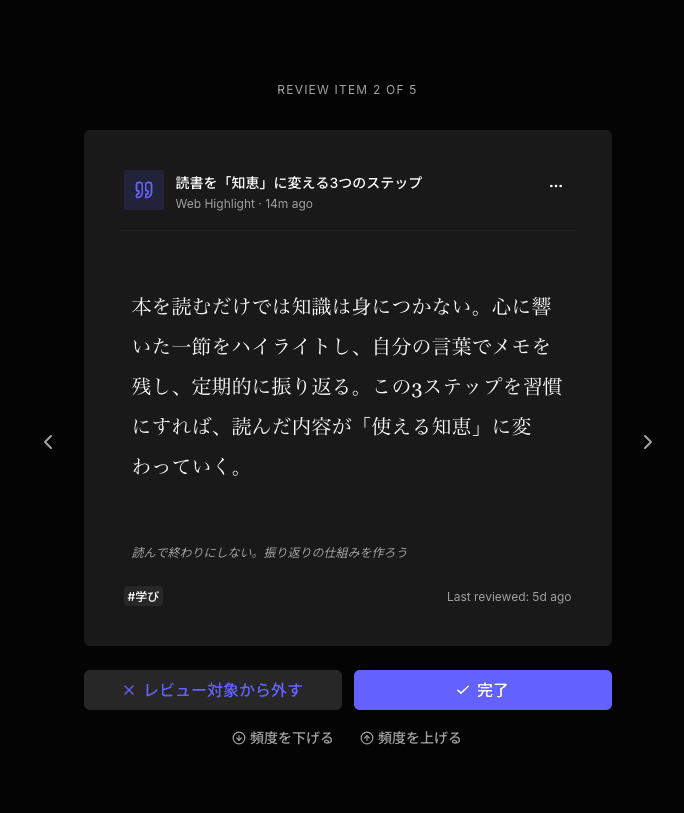
Osarai also includes a daily review. It brings back buried saved articles, posts, pages, and highlights so you can notice them again. This is useful if your problem is not only saving. It is remembering to return to what you saved.
Osarai's X sync is designed for posts bookmarked on X after you connect Osarai. It should not be understood as an automatic recovery tool for every X bookmark you saved before connecting.
Osarai is not a complete replacement for X Bookmarks, Raindrop.io, or Readwise Reader. It is one option if you want X posts and other saved resources to live in the same later-use workflow.
 Osarai
Save links. Find them again.
Save articles and posts you want for later in one place. Search what you remember, and let daily review bring buried saves back.
How to Choose the Right Way to Save Tweets for Later
Start with where the saved item should come back to you.
If you want to quickly save posts and revisit them inside X, use X Bookmarks. If you already pay for X Premium and want more structure inside X, Bookmark Folders can help.
If you mainly save URLs from your browser and want a familiar folder system, browser bookmarks may be enough.
If you want a dedicated bookmark manager with collections, highlights, tabs, and broad browser extension support, Raindrop.io is a practical choice.
If your saved X posts are mixed with articles, documentation, tool pages, and PDFs, Osarai may fit better. It is especially useful when you want to search across saved materials and bring buried items back into view over time.
The best system is the one that matches your follow-through. Saving is only the first step. The real value comes when you can find the post, open the linked resource, and use the idea when it matters.
A Simple Workflow for Saving Tweets for Later
A useful setup can be simple.
Use X Bookmarks for quick capture when you are browsing X. If you use Osarai, connect X so newly bookmarked posts can be saved after connection. Save linked articles, docs, tool pages, and PDFs into the same place when they are part of the same research or project.
Add a short note when the reason is not obvious. For example:
- "Try this library for the onboarding flow."
- "Good pricing page teardown."
- "Reference for Postgres search setup."
- "Read before choosing the PDF import approach."
Later, search by the idea, not only the source. You might remember "Postgres search," "AI coding workflow," or "pricing teardown" before you remember the exact post.
This is where a save-for-later system becomes more useful than a pile of links. It gives your future self enough context to continue.
The Bottom Line
X Bookmarks are good for fast, private saving inside X. X Premium Bookmark Folders add more organization if you want to stay in X. Browser bookmarks are simple and familiar. Raindrop.io is a strong general bookmark manager for web resources.
Osarai is worth considering when your saved tweets are part of a wider set of things you want to revisit, including articles, documentation, tool pages, and PDFs. It keeps those saved materials closer together and helps surface buried items again through daily review.
The goal is not to save more. It is to make the useful things you already saved easier to find again.
OsaraiSave links. Find them again.
Save articles and posts you want for later in one place. Search what you remember, and let daily review bring buried saves back.
Read more

Save Articles for Later: 5 Places That Help You Actually Read Them
Saving an article is easy. Reading it later is the hard part. Compare browser bookmarks, Instapaper, Raindrop.io, Readwise Reader, and Osarai to pick a place you will actually revisit.

Bookmark Manager Guide: How to Save, Find, and Revisit Links
Compare browser bookmarks, bookmark managers, read-it-later apps, web clippers, and Osarai to choose where to save links.

Bookmark Manager for Chrome: Built-in Bookmarks vs Extensions
Compare Chrome bookmarks, Raindrop.io, Instapaper, Readwise Reader, Notion, Evernote, and Osarai to choose the right bookmark manager for Chrome.